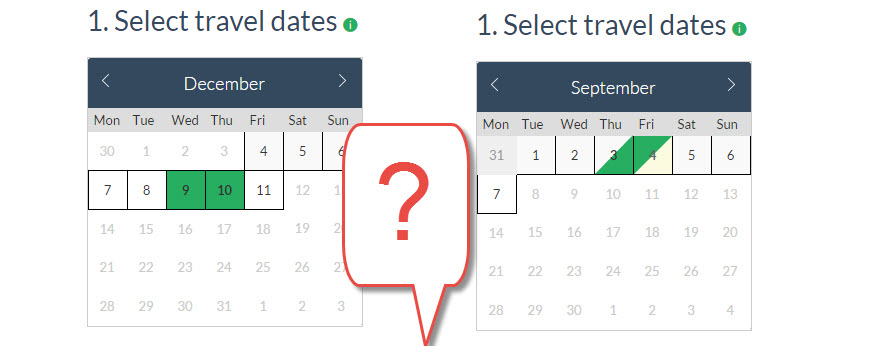
You may have noticed that the date picker of our calendar comes in two versions now, depending on the relocation, and you’re wondering why is this? Here’s a simple explanation:
We have now created a new setting in your Vehicle settings, allowing you to set a particular vehicle to either Day or Night bookings. If you set the vehicle to Night setting, this means that the driver will select their pickup and the drop off time will default to exactly 24 hours (or 48 etc depending of the free day allowance) from pickup.
However if you leave the vehicle as Day setting, the relocation period will be set on calendar days, so one day will be between the pickup and drop off times specified in your branches.
Our new date picker reflects those two different calculation methods, and the days are either fully colored (calendar day) or half colored (24 hour cycle) to show the difference.